
social-media
tiktok
tutorial
How to Change TikTok Account Region

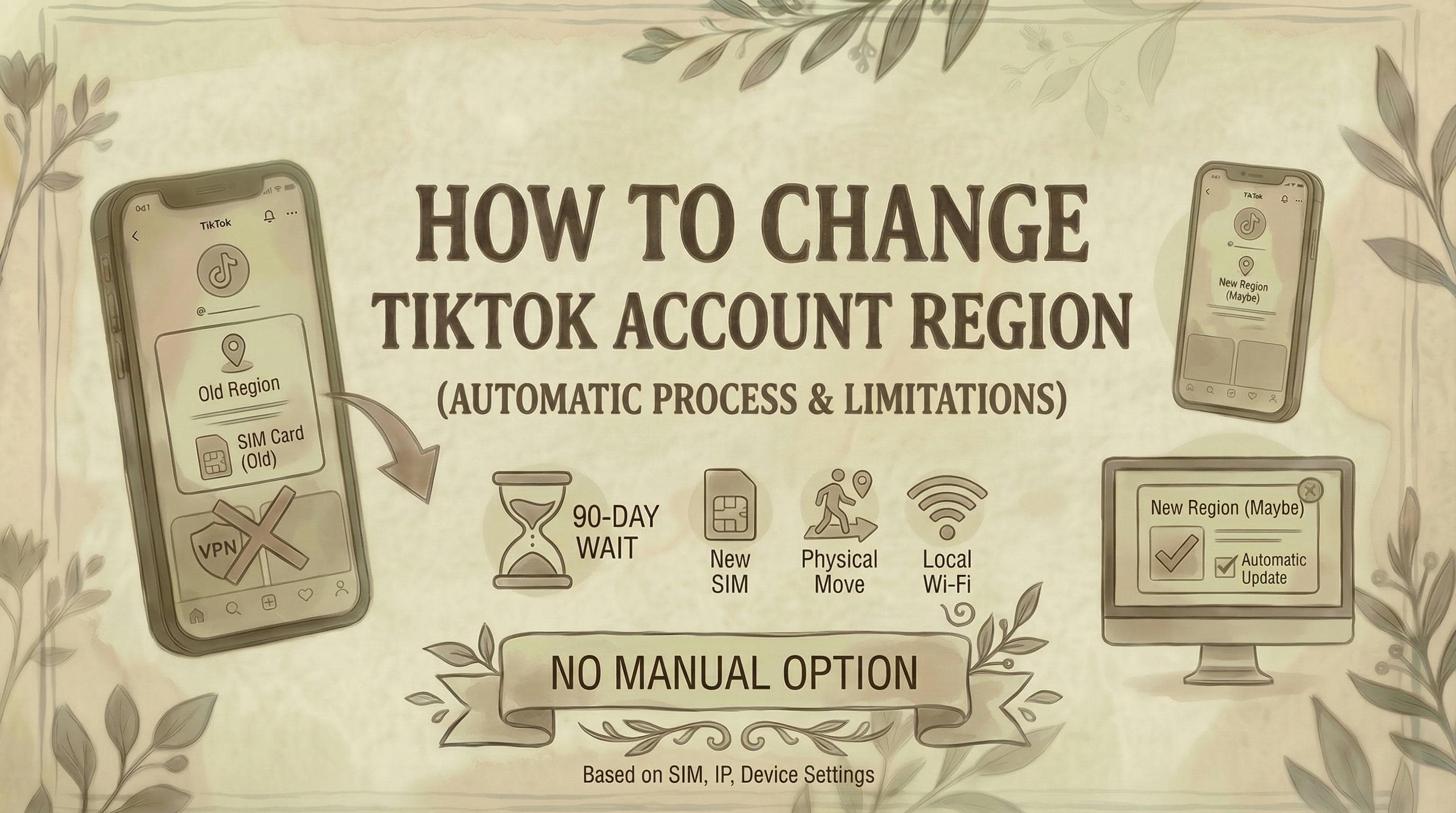
- TikTok does not provide an official way to manually change your account region - it's determined automatically by your SIM card, IP address, device language settings, and App Store region.
- The only reliable method to reach a different region's For You Page is to create a new account on a clean device with the correct regional setup from the start.
- Changing your phone's language or time zone has minimal effect - TikTok primarily uses the SIM card country code and IP address to lock an account to a specific region.
The Truth: TikTok does not provide an official way to manually change your account's region or country. Your region is automatically determined by your SIM card, IP address, and device settings - and TikTok intentionally makes it difficult to change.
How TikTok Determines Your Region
According to TikTok's official support documentation, the platform uses multiple data points to determine your region:
Primary factors:
- SIM card region - The country code of your mobile carrier
- IP address - Your internet connection's geographic location
- Device settings - Your phone's language and region settings
- App Store region - Where you downloaded TikTok from (iOS/Android)
Secondary factors:
- Location Services (if enabled)
- Time zone and day settings
- Language preference
- Device type
TikTok combines these signals to lock your account to a specific region, which determines:
- Content you see in your For You feed
- Available features (TikTok Shop, Creator Fund, monetization)
- Trending content and sounds
- Ad targeting and commerce options
Why TikTok Doesn't Allow Region Changes
TikTok restricts region changes for several reasons:
1. Monetization and Creator Fund eligibility Different regions have different Creator Fund programs. TikTok prevents users from switching regions to access better monetization or programs like the TikTok Creator Rewards Program. To learn more about earnings, see our guide on how to make money with TikTok.
2. Regulatory compliance TikTok must comply with local laws in each country. Region-locking ensures proper data handling, age restrictions, and content moderation.
3. Content licensing Music, sounds, and branded content have regional licensing. Your region determines which sounds you can use.
4. E-commerce and TikTok Shop TikTok Shop is region-specific. Allowing free region switching would create fulfillment and payment issues.
5. Preventing abuse Without restrictions, users could manipulate trending algorithms and spam different regional markets.
The 90-Day Rule (When Region Changes ARE Possible)
While TikTok doesn't provide a manual "change region" button, your account region CAN update automatically under specific circumstances - but there's a waiting period.
According to user reports across TikTok throughout 2026, if you meet ALL these conditions:
- Physically relocate to a new country
- Use a local SIM card from that country
- Connect via local Wi-Fi/IP addresses consistently
- Update your device region settings
- Wait approximately 90 days of consistent local usage
...TikTok may eventually update your account region automatically.
Important: This is not guaranteed and varies by user. Some report waiting 6+ months before their region updated.
What Happens If You Try to Force a Region Change
Many users attempt workarounds to change their TikTok region. Here's what actually happens:
Method 1: Using a VPN
What users try: Connect to a VPN in the desired country.
What actually happens:
- TikTok detects VPN usage and may restrict your account
- Content feed may show some regional content temporarily
- Your account region does NOT change
- Risk of account suspension for violating Terms of Service
- TikTok's algorithm still uses your SIM card region as primary signal
2026 user reports: Multiple TikTok users report this method shows regional content temporarily but doesn't change account settings or unlock region-specific features like monetization. For a legitimate method to target specific regions like the US, see our guide on how to target US users on TikTok.
Method 2: Changing Device Settings
What users try: Change phone language, region settings, and App Store country.
What actually happens:
- Interface language changes
- Some regional content appears
- Account region remains unchanged
- Features like TikTok Shop, Creator Fund still locked to original region
Method 3: Creating a New Account
What users try: Delete old account, create new one with VPN or new SIM.
What actually happens:
- You lose all followers, videos, and engagement
- New account inherits region from current SIM/IP/device settings
- No guarantee you'll get desired region
- Violates TikTok TOS if using location spoofing
Method 4: GPS Spoofing Apps
What users try: Use location spoofing apps to fake GPS location.
What actually happens:
- TikTok ignores GPS data for account region (uses SIM/IP instead)
- High risk of account ban
- Violates TikTok Terms of Service
- Only affects tagged locations on posts, not account region
What You CAN Actually Change
While you can't manually change your account region, you CAN control some location-related settings:
1. Location Services (What You See Nearby)
To disable Location Services:
- Open TikTok app
- Tap Profile → Three lines menu (top right)
- Go to Settings and privacy → Privacy
- Tap Location Services
- Select Never or Don't Allow
This prevents TikTok from accessing your precise GPS location, but does NOT change your account region.
2. Content Language Preferences
To change content language:
- Go to Settings and privacy
- Select Content preferences
- Choose preferred languages
This affects the language of content you see, but not your account's registered region.
3. Post Location Tags
You can add location tags to individual posts:
- Create a post
- Tap Add location
- Select any location globally
This tags where your video appears to be from, but doesn't change your account region.
How to Actually Get a Different TikTok Region
If you genuinely need a TikTok account in a different region, here are the only legitimate methods:
Option 1: Physical Relocation + Wait
Steps:
- Physically move to the target country
- Get a local SIM card and phone number
- Use local Wi-Fi and mobile data exclusively
- Update device region to match new country
- Use TikTok normally for 90+ days
- If you have Creator Monetization enabled: You may need to remove it first, then wait for your region to update before re-applying
Timeline: 90 days minimum, potentially 6+ months based on 2026 user reports
Success rate: Moderate - not guaranteed but most likely to work
Option 2: Start Fresh With Proper Setup
Steps:
- Be in the target country (or have a genuine connection there)
- Get a SIM card from that country
- Set up new device with that region
- Download TikTok from that region's App Store
- Create entirely new account
- Never use VPN or location spoofing
Downside: You lose your existing account, followers, and content
Option 3: Use TikTok Features That Don't Require Region Change
Instead of changing region, adapt your strategy:
For content creators:
- Create content that appeals to your target audience regardless of your region
- Use trending sounds and hashtags from your target market
- Post during peak hours for your target region
- Engage with creators from your target region
- Learn how to create professional slideshows with our guides on how to make TikTok slideshows on PC and how to create TikTok slideshow images with AI
For viewers:
- Follow creators from your desired region
- TikTok's algorithm will show you more content from that area
- Change content language preferences
- Interact with (like, comment, share) content from that region
Why "Region Change Hacks" Don't Work in 2026
TikTok has significantly improved its region detection systems. Methods that supposedly worked in 2023-2024 no longer function:
What TikTok now detects:
- VPN usage (IP fingerprinting)
- GPS spoofing (cross-referencing with cell tower data)
- SIM card vs. IP address mismatches
- App Store region vs. network region conflicts
- Rapid location changes (flagged as suspicious)
Users reporting "successful" region changes in 2026 almost always fall into two categories:
- They physically relocated and waited 90+ days
- They're seeing algorithm-based content changes (not actual region change)
Common Questions
Can I change my TikTok region to access TikTok Shop in my country? No. TikTok Shop availability is determined by where you physically are and your account's registered region. If TikTok Shop isn't available in your country, you cannot access it by changing settings. The feature must be officially launched in your region.
Will using a VPN change my TikTok region? No. VPNs may show you some regional content temporarily, but your account region is primarily determined by your SIM card and device settings, not your IP address alone. Using VPNs also violates TikTok's Terms of Service and can result in account restrictions. If you're experiencing issues with following people after using a VPN, see our guide on why you can't follow people on TikTok.
How long does it take for TikTok to update my region after moving countries? Based on 2026 user reports, expect 90 days to 6+ months of consistent use in your new country with a local SIM card. Some users report never having their region update automatically. There is no manual option to speed this up.
Can I have TikTok accounts in multiple regions? Yes, technically you can create separate accounts in different regions, but each account must be genuinely tied to that region (local SIM, local usage). Managing multiple accounts with VPNs or spoofing will likely result in bans. For strategies on managing multiple TikTok accounts for growth, see our guide on TikTok growth strategies for SaaS.
Why does my friend's region show different than mine when we're in the same location? TikTok region is set based on where the account was created and initially used, not where you currently are. If your friend created their account in a different country with a different SIM card, their region remains locked to that location.
Does deleting and reinstalling TikTok change my region? No. Your account region is tied to your account data on TikTok's servers, not the app installation. Reinstalling the app does not reset or change your region.
Can TikTok support manually change my region? No. TikTok support does not manually change account regions. The platform's official position is that region is automatically determined and cannot be manually adjusted, even by support staff.
What if I need to change region for Creator Fund eligibility? If you've genuinely relocated to an eligible country, you'll need to wait for your region to update automatically (90+ days minimum) while using a local SIM and local internet. You may need to remove existing monetization features first. There is no shortcut for this.
The Bottom Line
TikTok intentionally does not provide a manual region change option. Your account region is automatically determined by your SIM card, IP address, and device settings - and changes only under very specific circumstances (genuine relocation + 90+ day wait period).
If you're trying to change region:
- For content access: Follow creators from that region, adjust language preferences, and let the algorithm adapt
- For monetization: You must genuinely be in an eligible country with local SIM and usage patterns
- For TikTok Shop: Wait for official launch in your actual region
Avoid:
- VPNs (detectable and violates TOS)
- GPS spoofing (doesn't affect region)
- "Region change hacks" (don't work in 2026)
The only reliable method is genuine physical relocation with local SIM card usage for 90+ days. Any other approach risks account suspension and won't achieve the desired results. For managing your content, see where to find TikTok drafts. For viewing your saved videos, see how to see saved videos on TikTok. For adding a link to your bio, see how to add link to TikTok bio. For sharing others' videos, see how to repost on TikTok. For managing unwanted interactions, see how to block someone on TikTok. If you're a creator looking to monetize, learn how to get a TikTok Spark Code and how to make money with TikTok (guide linked above). If your only option is to start fresh in a new region, see how to delete your TikTok account before creating the replacement.
Want to manage your TikTok content strategy more effectively? While you can't change your region, Genviral helps you schedule and optimize TikTok posts to reach your target audience, regardless of your account's region.

Viktor
Occasional writer, sometimes even funny. Also loves to start conmpanies (weird, I know).


